
When to Hand Off AI Chats to Human Agents
Learn when an AI assistant should hand a conversation to your team, how Talkty handles handoffs, and how to prepare your assistant and inbox.
By Emily Carter · · 4 min read ·

Knowing when to hand off AI chats to human agents helps a small business respond quickly while making sure customers can reach a person when needed. Talkty’s AI assistant can answer questions using your business information and hand a conversation to your team when the customer asks for a person or the topic is outside the assistant’s scope.
When should an AI chat go to a human?
Two clear reasons to hand over a conversation are:
- The customer asks to speak with a person. A direct request for human help is a reason to stop the AI conversation and notify your team.
- The topic is outside the assistant’s scope. If the assistant cannot help using its available information and actions, it can hand the conversation to your team instead of continuing beyond its scope.
Talkty’s assistant can answer questions using the business information and context you provide. Depending on your setup, it can also look up active products or book appointments. If a customer’s request needs information or an action the assistant does not have available, a handoff gives your team the chance to respond.
What happens when Talkty hands over a chat?
Talkty provides a Hand over to a human action in the AI assistant settings. When the assistant uses it, AI turns off automatically in that conversation, and your team receives a “Chat handed over to a human” notification.
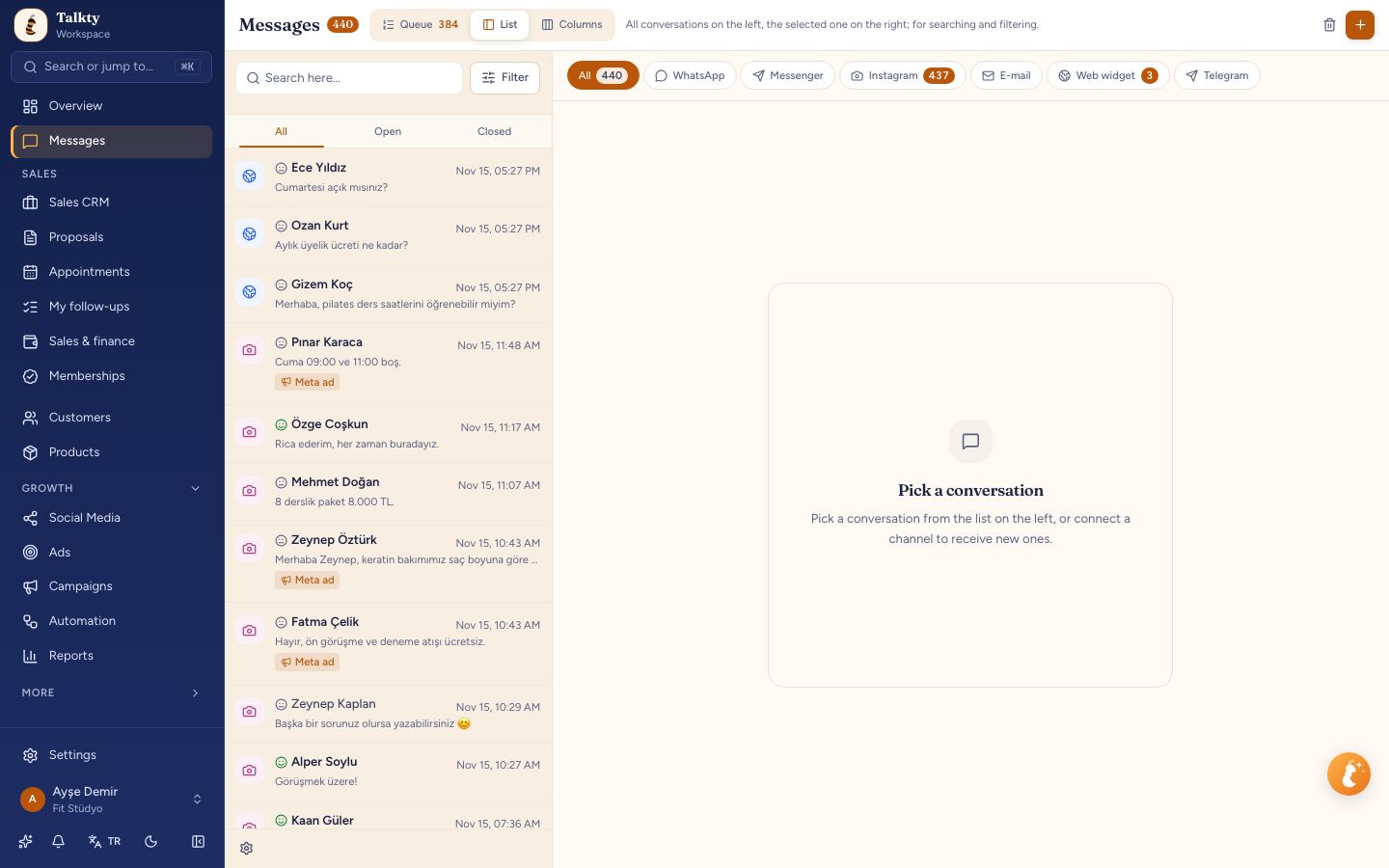
The conversation stays in the shared inbox, where WhatsApp, Instagram, Messenger, and web chat messages appear in one list. Your team can assign and tag conversations to help track ownership and follow-up. For more on managing conversations across channels, see How to Manage Multiple Chats in One Inbox with Talkty.
Step by step: set up and handle a handoff
1. Write clear assistant instructions
In the AI assistant settings, use the Instruction field to explain how the assistant should behave and when it should hand a conversation to your team. For example, tell it to hand over when a customer asks for a person or when the request is outside the assistant’s scope.
You can also provide Business information and Context. Context is for general details the assistant needs, such as opening hours, address, shipping, and returns. If you want help drafting instructions, select Generate instruction with AI, then review and edit the result to fit your business.
2. Enable the handoff action
In the assistant settings, go to Actions to take and turn on Hand over to a human. This gives the assistant permission to switch off AI in a conversation and notify your team when a handoff is needed.
3. Test the assistant
Before customers use the assistant, open the Test tab and try realistic questions. Include a request to speak with a person and a question that falls outside the assistant’s scope. Check that its responses and handoff behavior match your instructions.
For the full setup process, see Creating an AI assistant and Testing and connecting the assistant.
4. Take over a conversation manually when needed
Your team can also take over a conversation without waiting for an automatic handoff. Open the chat and use the Turn off the AI in this conversation switch at the top. This turns off AI in that conversation so you can reply yourself.
Keep handoffs organized after the reply
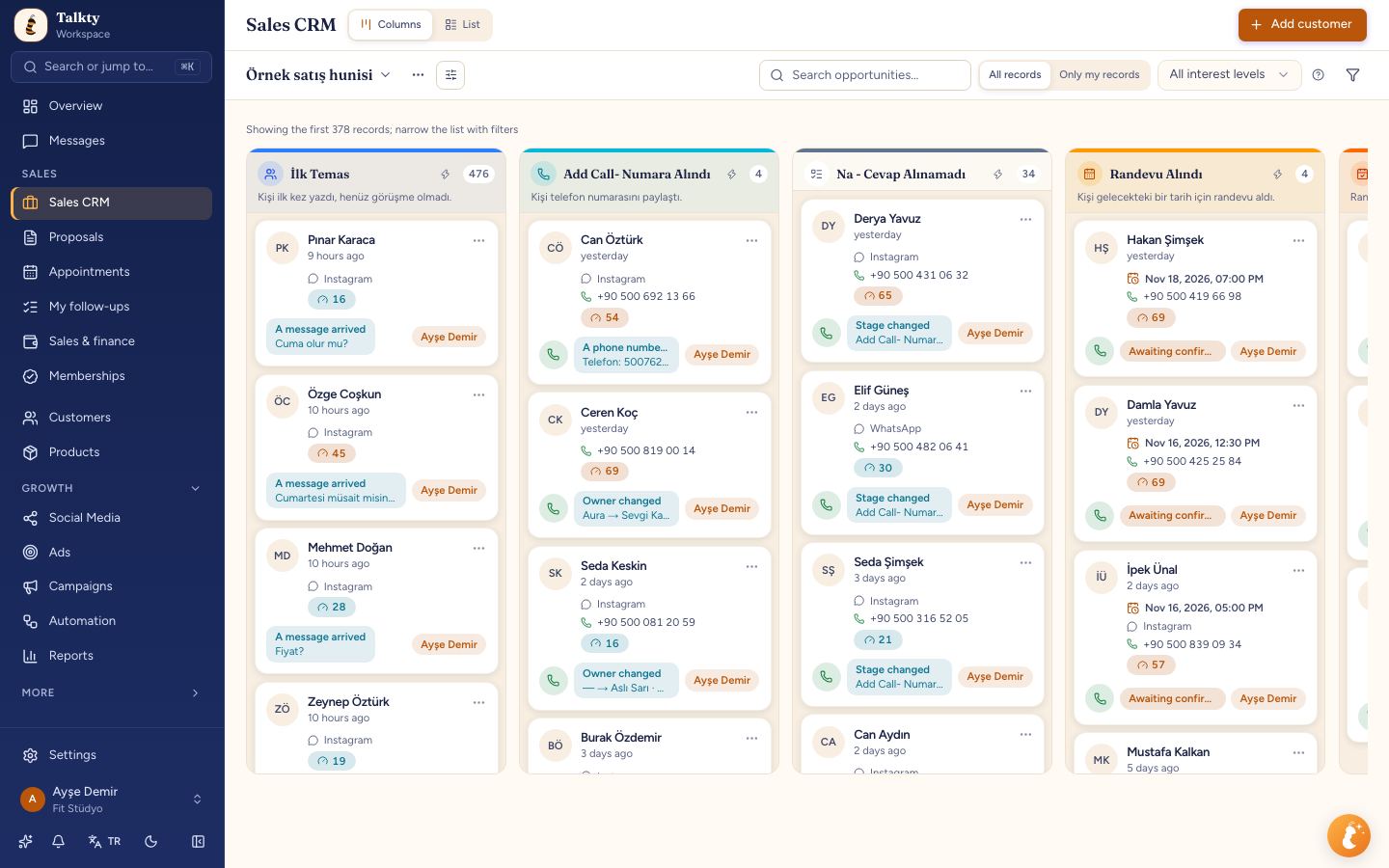
Use the shared inbox to assign and tag conversations so it is clear which chats need attention. For ongoing sales follow-up, Talkty’s Sales CRM gives each customer a card with a dated activity history, reminders, and follow-up plans. These tools help your team track customer activity beyond the handoff itself.
If the conversation is about an appointment, appointments booked by the AI or your team appear in one calendar. The calendar includes confirmation, attendance status, and reminders, helping your team refer to the appointment while responding.
Summary
Hand a chat to a human when a customer asks for a person or the request is outside the AI assistant’s scope. Turn on Hand over to a human under Actions to take, test the assistant, and use the inbox to respond. Talkty turns off AI automatically after a handoff and notifies your team. You can also turn AI off manually for a conversation using the switch at its top.
Frequently asked questions
- When should an AI assistant hand a chat to a human?
- Hand it over when the customer asks to speak with a person or when the topic is outside the assistant’s scope.
- How do I enable handoffs in Talkty?
- In the assistant settings, go to Actions to take and turn on Hand over to a human.
- What happens after Talkty hands over a conversation?
- AI turns off automatically for that conversation, and your team receives a “Chat handed over to a human” notification.
- Can I take over a chat manually?
- Yes. Open the conversation and use the Turn off the AI in this conversation switch at the top to reply yourself.
Emily Carter