
AI design studio
Create post images and captions from ready templates using the logo, colors and photos in your brand kit: promotions, customer reviews, tip cards, Q&A, numbered lists and more.
How it works: AI design studio18:00Posting time
Create images and captions with your brand kit, approve them and schedule them on Instagram, Facebook and YouTube; send videos to TikTok. When a loop runs out of content, autopilot prepares the next one, and people who comment get an automatic DM.
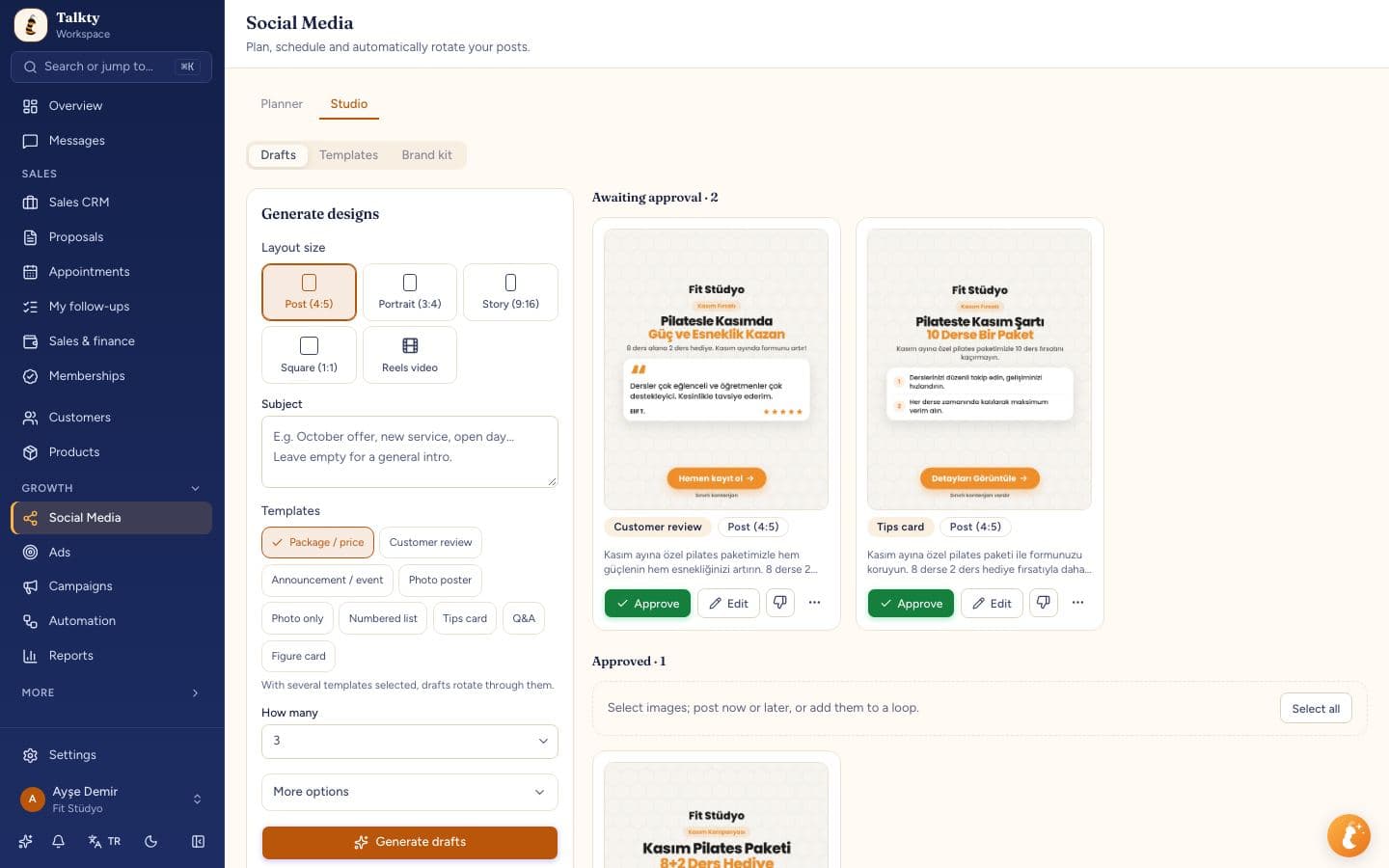
Talkty has AI create post images and captions with the logo, colors and photos in your brand kit; it runs content past your approval, schedules it on Instagram, Facebook and YouTube, posts it in sequence with loops and prepares new content with autopilot when the queue runs out. It sends videos to TikTok and replies to Instagram comments with automatic DMs and answers.
| Account type | Post types | Scheduling | Loops and autopilot |
|---|---|---|---|
| Posts, Reels, stories | Yes | Yes | |
| Page posts | Yes | Yes | |
| YouTube | Videos and Shorts | Yes | Yes |
| TikTok | Videos (directly or to drafts) | Yes | No, videos are posted one by one |
LinkedIn and X are not supported yet.
Create post images and captions from ready templates using the logo, colors and photos in your brand kit: promotions, customer reviews, tip cards, Q&A, numbered lists and more.
How it works: AI design studioWhen a loop has nothing left to post, AI creates new content from your website and products and adds it to the queue; it can ask for your approval first. If it writes a price that isn't in your data or an unproven claim, the content isn't posted on its own.
How it works: AutopilotSee posts, Reels, stories and videos on a weekly calendar and schedule them ahead. Loops post content in turn on the days and times you choose.
How it works: Planner and loopsPosts prepared by your team aren't published until approved. Agencies send their client a link over WhatsApp; the client approves or asks for changes without an account.
How it works: Team and client approvalSend an automatic DM to anyone who comments a keyword on your Instagram post, reply publicly and run giveaways from comments. Answer YouTube comments from the same place.
How it works: Comment-to-DMConnect Claude over MCP: it reads your accounts and comments, drafts posts for your approval and writes replies.
How it works: Connect ClaudeConnect Instagram, Facebook, YouTube and TikTok from the Social Media screen.
Add your logo, colors and photos. AI prepares images and copy to match them.
Pick posting days and times and switch on autopilot. Upcoming posts show on the calendar.
Instagram (posts, Reels, stories), Facebook Pages, YouTube (videos and Shorts) and TikTok (videos). On TikTok a video is posted directly or sent to the drafts in your TikTok app. LinkedIn and X aren't supported yet.
Yes, if you turn on autopilot in a loop: when content runs out, AI creates more and queues it. With approval mode on, nothing is posted until you approve it.
No. TikTok requires visibility to be chosen by hand for every video, so TikTok videos are posted one by one. Loops and autopilot work on Instagram, Facebook and YouTube.
Posting, the planner and loops start on the Starter plan. The design studio and autopilot are on Professional and Enterprise. Compare plans in the pricing section.
Set up in minutes and follow every customer from the very first message.
Start free