
One Inbox, Four Channels: How Talkty Helps Small Businesses Stop Losing Sales in DMs
WhatsApp, Instagram, Messenger and web chat in one Talkty inbox: assign conversations, see who is waiting longest, recommend products in the chat and turn every DM into a Sales CRM card.
By Emily Carter · · 3 min read

A customer asks the price on Instagram on Monday. On Tuesday the same person writes on WhatsApp because Instagram felt slow. Your colleague answers WhatsApp, you answer Instagram, and neither of you knows the other did. Or worse, both of you think the other one did. Sales in DMs rarely fail because of the price. They fail because a message sat in an app nobody opened that afternoon.
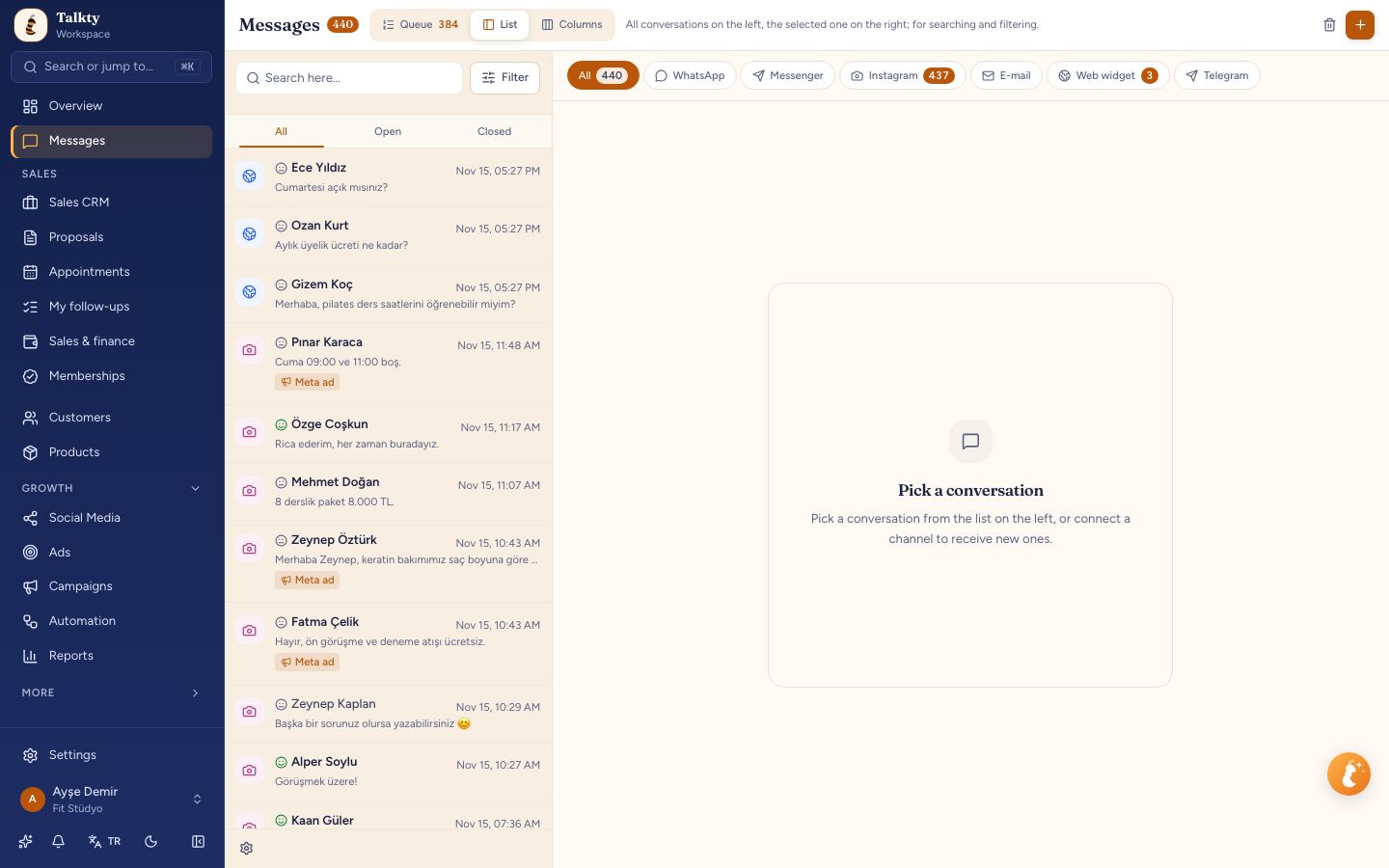
Talkty puts WhatsApp, Instagram, Messenger and the chat bubble on your website into one Messages screen, and links every conversation to a card in Sales CRM.
The four channels in one list
Connect each channel once in Settings › Channels:
- WhatsApp through the official WhatsApp Business Platform. See Connecting WhatsApp.
- Instagram and Messenger through your Facebook page. See Instagram and Messenger.
- Web chat: a chat bubble you add to your website. See Web chat widget.
From then on every new message lands in the same list. The channel filter above the list narrows it to one channel when you need it, and the search box finds a customer by name, phone, email or the words in their messages.
Pick the view that matches your day
Use the Queue · List · Board buttons at the top of Messages:
- Queue brings open conversations with unread messages to you one at a time, the longest waiting first. You reply, and the next one opens. At rush hour this keeps you from cherry-picking the easy messages while the old ones age.
- List shows everything with filters on the left and the customer's info on the right.
- Board puts conversations in four columns: Waiting for reply, AI on, With the team and Closed. You see at a glance how many people still need an answer.
Make ownership clear
Two people answering the same customer is almost as bad as nobody answering. Assign a conversation to a teammate, and use Assigned to me and Unassigned to see whose work is whose. If you'd rather not assign by hand, auto-assignment shares new conversations among your team and respects each person's shift hours.
Answer faster with what you already know
- Quick replies hold the answers you type every day: price list, address, opening hours. Save images and files as quick replies too.
- Send product sends a product card with image, price and a View product button on WhatsApp, Instagram and Messenger, so the customer can buy without asking for a link.
- An AI assistant can take the routine questions on any channel and hand the conversation over to you when the customer wants a person.
Every DM becomes a sales card
A message only turns into revenue if someone follows it up. In Talkty each conversation is linked to a card in Sales CRM: the customer's name, channel, notes and the stage of the sale. When you rename the card, the conversation title follows. When the customer writes again a week later, on another channel, you open their card and see the earlier messages and what you promised.
Conversations that started from a Meta ad carry a Came from an ad label, so you know which messages your ad budget paid for.
Mind the 24-hour window
On WhatsApp you can send free text only within 24 hours of the customer's last message. After that, WhatsApp asks for an approved template: click Send template next to the message box, fill in the variables and send. See WhatsApp templates. If a message fails, the warning in the chat tells you why.
A simple routine for a small team
- Start the day in Queue until Nobody is waiting appears.
- Check Unassigned once before lunch.
- Move every serious enquiry to the right stage in Sales CRM before you close the chat.
- Let the AI assistant cover evenings and weekends.
See Using the inbox for every button on the Messages screen.
Emily Carter