
Scheduling Posts on Instagram and Facebook with Talkty
Discover how to streamline scheduling posts on Instagram and Facebook using Talkty's integrated social media tools and design studio.
By Emily Carter · · 4 min read

Why Scheduling Posts on Instagram and Facebook Matters for Small Businesses
Maintaining an active presence on social media platforms like Instagram and Facebook is essential for small businesses today. However, juggling daily posts alongside running your business can be challenging. Scheduling posts allows you to plan your content ahead of time, ensuring consistent engagement without the stress of last-minute posting. Talkty’s integrated platform simplifies this process by letting you create, schedule, and publish posts seamlessly.
Connecting Your Instagram and Facebook Accounts to Talkty
Before scheduling posts, you need to connect your social media accounts to Talkty. For Instagram, it’s important that your account is a professional one—either Business or Creator. You can connect Instagram directly through Talkty without needing a Facebook Page, or alternatively, link via a Facebook Page if your Instagram is already connected to one.
For Facebook, connect your Messenger and Page accounts to receive messages and manage posts in one place. Talkty ensures your accounts stay connected, alerting you if reconnection is necessary due to permission updates or changes.
Creating Branded Content with the Design Studio
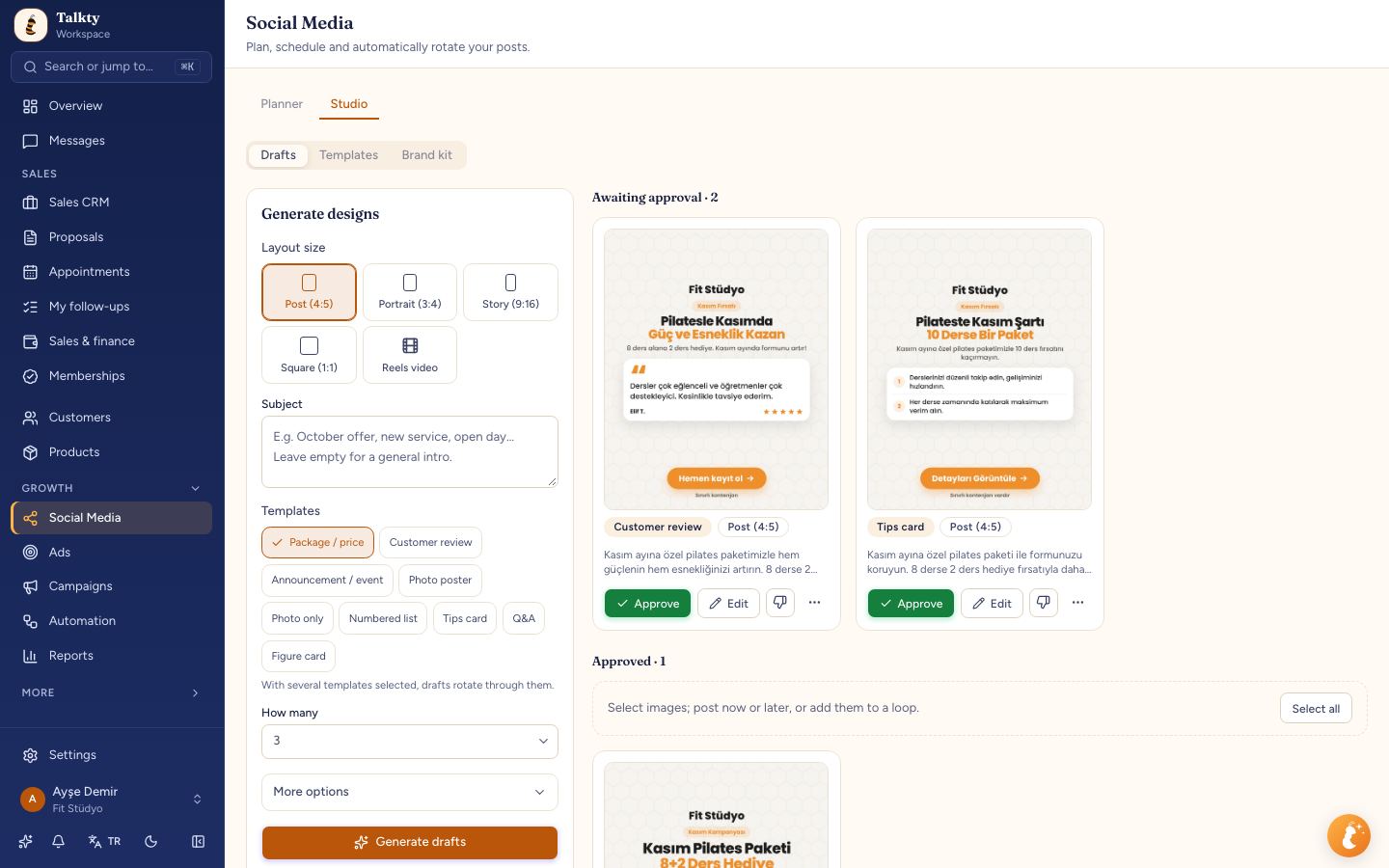
One of Talkty’s standout features is the Social Media & Design Studio, which enables you to create post images using ready-made templates customized with your brand kit. This means your visuals stay consistent with your brand’s colors, fonts, and style. Whether you want a simple graphic, a promotional banner, or engaging story visuals, you can design and save them all within Talkty.
Step-by-Step Guide to Scheduling Instagram and Facebook Posts
- Navigate to the Social Media section in Talkty and click "New post."
- Select the accounts where you want to publish: Instagram, Facebook, or both.
- Choose the post type: Post, Story, Reels, or Carousel. For carousels, select between 2 and 10 images or videos.
- Upload media files or select from your Design Studio library.
- Write your caption including hashtags and @mentions. Use the "Write with AI" button to generate or enhance your caption, using your brand kit as a guide.
- If publishing a Reel on Instagram, select a cover frame and decide whether to show it in your profile feed.
- Add collaborators or tag people as needed. Collaborators can share the post on their profiles once they accept the invitation.
- Set the date and time for publishing or add the post to a loop for recurring scheduling.
- Review all details and press "Schedule" to confirm.
Using Loops for Regular Posting
If you want to maintain a steady flow of content without manually scheduling every post, Talkty’s loop feature is very useful. Loops let you set up a series of posts that repeat at set intervals. For example, a weekly motivational quote or a monthly product highlight can be scheduled once and repeated automatically. This saves time and keeps your audience engaged regularly.
Managing Scheduled Posts and Adjustments
All your scheduled posts appear in the Planner, where you can view, edit, or reschedule them as needed. If a post needs updates—like changing the caption or swapping an image—you can do this easily without starting from scratch. This flexibility helps you adapt to changes like new promotions or updated branding.
Real-life Example: Scheduling a Product Launch Campaign
Imagine you’re launching a new product next month. With Talkty, you can prepare a series of posts:
- An announcement post with teaser images.
- Behind-the-scenes stories showing the product in development.
- A countdown carousel post leading up to the launch day.
- Customer testimonial reels scheduled after launch.
Create all visuals in the Design Studio, write captions using AI assistance, and schedule each post to go live on specific dates and times. This organized approach helps build excitement and keeps your audience informed effortlessly.
Summary
Scheduling posts on Instagram and Facebook with Talkty helps small businesses maintain a consistent and engaging social media presence without the daily hassle. By connecting your accounts, creating branded content with the Design Studio, and using scheduling and looping features, you can plan your marketing efforts efficiently. For further tips on managing customer interactions and follow-ups, check out articles like How to Create Effective Follow-Up Plans with Talkty and Organizing Customer Info in Sales CRM with Talkty.
Frequently asked questions
- Do I need a professional Instagram account to schedule posts with Talkty?
- Yes, your Instagram account must be a professional account (Business or Creator) to connect and schedule posts through Talkty.
- Can I schedule different types of posts on Instagram and Facebook?
- Yes, Talkty supports scheduling Posts, Stories, Reels, and Carousels for both Instagram and Facebook.
- Is it possible to create post images within Talkty?
- Yes, Talkty includes a Design Studio where you can create post images from ready templates using your brand kit.
- Can I collaborate with others on posts before scheduling?
- Yes, you can add up to three collaborators to posts who can approve and share content on their profiles once they accept the invitation.
- Can I automate regular posting with Talkty?
- Yes, you can set up loops to repeat posts regularly, helping you maintain a consistent posting schedule without manual effort.
Emily Carter